If you’re in the market for custom graphics on flexible surfaces, chances are you’ve encountered PVC printing film—one of the most widely used materials for signage, vehicle wraps, promotional banners, and even apparel accents. As a PVC Printing Film supplier, the question I get asked more than any other is this: “Can I use thermal transfer printing on PVC printing film?” It’s a fair question, too. Thermal transfer printing (a method that uses heat to melt a ribbon’s wax or resin onto a substrate) is valued for its durability, sharp image quality, and suitability for high-volume runs, so it makes total sense to want to pair it with PVC film. But the answer isn’t a simple yes or no—it depends on a few key factors that I’ve learned through years of working with printers, designers, and end-users. Let’s break this down, from the science of the materials to the practical tips that will save you time, money, and headaches. PVC Printing Film
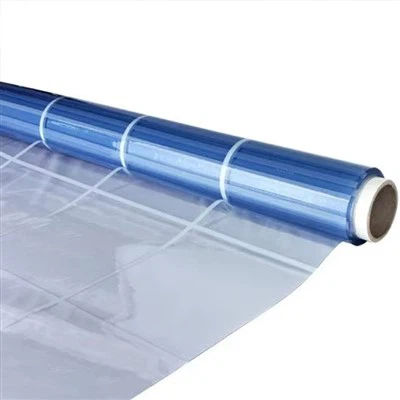
First, let’s get on the same page about what we’re working with here. PVC printing film (that’s polyvinyl chloride film, for the uninitiated) comes in two main varieties that matter for thermal transfer: calendered PVC and cast PVC. Calendered PVC is made by rolling PVC resin through heated rollers to thin it into sheets; it’s affordable, flexible, and the go-to for most medium-duty applications like indoor signage. Cast PVC, by contrast, is made by dissolving PVC resin in a solvent and casting it onto a moving belt; it’s thinner, more dimensionally stable, and better suited for outdoor use, vehicle wraps, and applications that need to stretch or conform to curved surfaces. Thermal transfer printing, meanwhile, relies on two core components: the thermal transfer ribbon (wax, resin, or wax-resin blend) and the heat/ pressure applied during printing. The ribbon melts onto the film’s surface, creating a permanent bond—but that bond only works if the film’s surface can withstand the heat transfer process without warping, melting, or repelling the ribbon’s ink.
So, can thermal transfer work on PVC? Short answer: Yes, but only with the right type of ribbon, correct heat and pressure settings, and the right grade of PVC film. Let’s start with the biggest pitfalls, because that’s where most printers go wrong. PVC is a thermoplastic, meaning it softens when heated. If you apply too much heat during thermal transfer, the film itself will warp, bubble, or even melt—especially thin calendered PVC, which can’t handle high temperatures the way cast film can. I’ve seen first-hand a small print shop ruin a batch of 50 vehicle wraps because they used a too-hot print head; the PVC film shrank around the edges of the graphics, leaving uneven, unsightly borders. That’s why knowing your PVC film’s heat tolerance is non-negotiable. Most commercial PVC printing films have a rated maximum heat resistance of between 120°C and 160°C (248°F to 320°F), depending on their formulation. Additives like plasticizers, which make PVC flexible, can lower that heat threshold—so soft, highly plasticized calendered PVC might only handle up to 120°C, while rigid cast PVC can go up to 160°C. If your thermal transfer printer’s head temperature is set higher than your film’s limit, you’re asking for damage.
Next, the thermal transfer ribbon is just as important as the film. A common mistake is using a generic wax ribbon, which is cheap but designed for porous substrates like paper. Wax ribbons have low melting points, but they don’t form a strong, flexible bond with PVC. They’ll rub off easily, especially if the PVC film will be exposed to sunlight, rain, or friction. For PVC, you need a resin-rich ribbon—either a pure resin ribbon or a high-quality wax-resin blend. Resin ribbons have higher melting points, which means they can form a durable, chemical-resistant bond with PVC’s surface. They’re designed to stick to non-porous, smooth substrates, which is exactly what PVC printing film is. I recommend testing at least two types of resin ribbons with your specific PVC film before committing to a large run. Last year, a client of mine was printing custom logos on PVC banners for a trade show; they tried a cheap wax-resin blend, and the logo smudged after being wiped down with a cleaning cloth. Swapping to a pure resin ribbon fixed the issue completely, even when the banners were rolled and unrolled multiple times.
Another factor that’s often overlooked is the surface energy of the PVC film. Surface energy is a measure of how well a liquid or solid (like a thermal transfer ribbon’s ink) can spread and bond to a substrate. Most uncoated PVC printing film has a surface energy of around 38 to 42 dynes per centimeter. For thermal transfer to work, the ribbon’s ink needs a surface energy that’s lower than the film’s, so it can spread evenly and adhere properly. If your PVC film is uncoated, it might have a lower surface energy—sometimes as low as 32 dynes/cm—because of excess plasticizers that migrate to the surface. That’s a problem, because the ribbon’s ink can’t spread evenly, leading to faded, patchy graphics. The fix? Make sure you specify a “thermal transfer compatible” grade of PVC film when you order. As a supplier, we offer a line of PVC printing films calibrated with a surface energy of 44 to 46 dynes/cm, specifically designed for thermal transfer. These films have a thin, uniform coating that removes excess plasticizers without making the film stiff—so you get the flexibility of PVC with the surface properties needed for strong bonding. I’ve had so many clients tell me that switching to our thermal transfer-ready PVC film cut their graphic defect rate in half, just from that small adjustment.
Now, let’s talk about practical best practices, because even if you have the right materials, bad settings will ruin the job. First, test your settings on a scrap piece of your specific PVC film before running a full production batch. Set your print head temperature 5 to 10°C lower than the maximum rated heat for your film, adjust the pressure to medium (too much pressure can also damage the film, not just too much heat), and test the adhesion by rubbing the graphic firmly with a lint-free cloth. If the ink smudges, increase the temperature slightly (no more than 5°C at a time) or switch to a thicker resin ribbon. If the film warps, you’re running too hot—dial it back and check your film’s rating again. For outdoor applications, like vehicle wraps, you’ll also want to make sure your thermal transfer ink is UV-resistant. Pure resin ribbons are often UV-stabilized, but some lower-grade blends aren’t—ask your ribbon supplier for a UV-stabilized option if the graphics will be exposed to sunlight for more than a few months.
There are also some applications where thermal transfer on PVC works exceptionally well, and others where it’s not the best choice. Thermal transfer is ideal for small, detailed graphics (like logos, barcodes, or serial numbers) where you need sharp, crisp lines. It’s also great for short runs, because you don’t need to set up large print jobs like you do with digital solvent printing. But if you’re printing large, solid-color graphics (like a full banner with a plain red background), thermal transfer might not be the most cost-effective option. You’ll spend more on ribbon per square foot than you would with a large-format printer, and the edges of the graphic might not be as smooth. For those jobs, digital printing is a better fit—but for small, durable graphics on PVC, thermal transfer is hard to beat.
Wait, you might be wondering: what about vinyl heat transfer (HTV) vs. thermal transfer printing? Sometimes people mix these two up, and that’s a critical mistake. HTV is a thin vinyl film that you cut into a design, weed out the excess, and then press with heat onto a garment or surface. Thermal transfer printing, by contrast, uses a ribbon and print head to apply ink directly to the film. They’re different methods, and that difference matters a lot. If you’re trying to apply a vinyl cut design to PVC film, that’s a whole other process (heat press, different settings), but our question is about thermal transfer printing onto PVC film—so we’re talking about the ribbon-based method, not HTV. That’s why all the tips I’ve shared are specific to that process.
As a supplier, I’ve had my share of clients come to me frustrated because they tried thermal transfer on PVC film and it didn’t work, only to realize they were using the wrong ribbon or the wrong grade of film. One client, a signage company, told me they’d ruined three batches of PVC window decals before switching to our thermal transfer-ready film and a pure resin ribbon. Their defect rate dropped from 15% to less than 1%, and they’ve since become one of our repeat, long-term clients. That’s the kind of problem-solving I care about, because I don’t just sell PVC printing film—I help my customers make their printing projects work.
Let’s also address a common myth: that thermal transfer can’t be used on PVC because PVC is toxic when melted. That’s true for PVC itself, but thermal transfer printing only applies heat to the ribbon, not the PVC film’s surface in a way that causes it to melt. The heat from the print head is localized to the ribbon, which is just a few micrometers thick, so it never gets hot enough to break down PVC. Of course, you should always follow proper ventilation procedures when working with any printing method, but that risk isn’t specific to thermal transfer on PVC.
So, to circle back to the original question: Can I use thermal transfer printing on PVC printing film? Yes, absolutely—if you match the right PVC film grade with a high-quality resin thermal transfer ribbon, calibrate your heat and pressure settings correctly, and test before full production. Skip the generic wax ribbons, don’t use uncoated PVC film, and always confirm your film’s heat tolerance before setting up your printer. If you’re not sure where to start, that’s what I’m here for.

If you’re planning a project that involves thermal transfer on PVC printing film, whether it’s vehicle graphics, promotional decals, signage, or something else, don’t guess your way through it. Our team works with printers and designers every day to match the right PVC film with the right ribbon and settings, so you can avoid costly mistakes and get the durable, sharp graphics you need. Reach out to us to discuss your specific project, and we’ll help you choose the perfect materials for your thermal transfer needs.
PVC Film References
- “Thermal Transfer Ribbon Compatibility Guide,” PrintPlanet, 2022.
- “PVC Film Properties and Applications,” Society of Plastics Engineers (SPE), 2021.
- “Surface Energy and Adhesion for Flexible Substrates,” Journal of Printing Science and Technology, Vol. 87, No. 3, 2020.
Nantong Dahe Composite New Material Technology Co., Ltd.
We’re well-known as one of the leading PVC printing film manufacturers and suppliers in China, specialized in providing high quality customized products to global clients. Please feel free to wholesale cheap PVC printing film in stock here from our factory. Contact us for quotation and free sample.
Address: South Side of Pinghai Highway, Pinghe Village, Dongshe Town, Tongzhou District, Nantong City, Jiangsu Province, China
E-mail: nantongdahe@outlook.com
WebSite: https://www.cndahetech.com/
